Delete contacts in the Personal space
You can also delete the contacts that you have added to the Personal space.
Windows and macOS
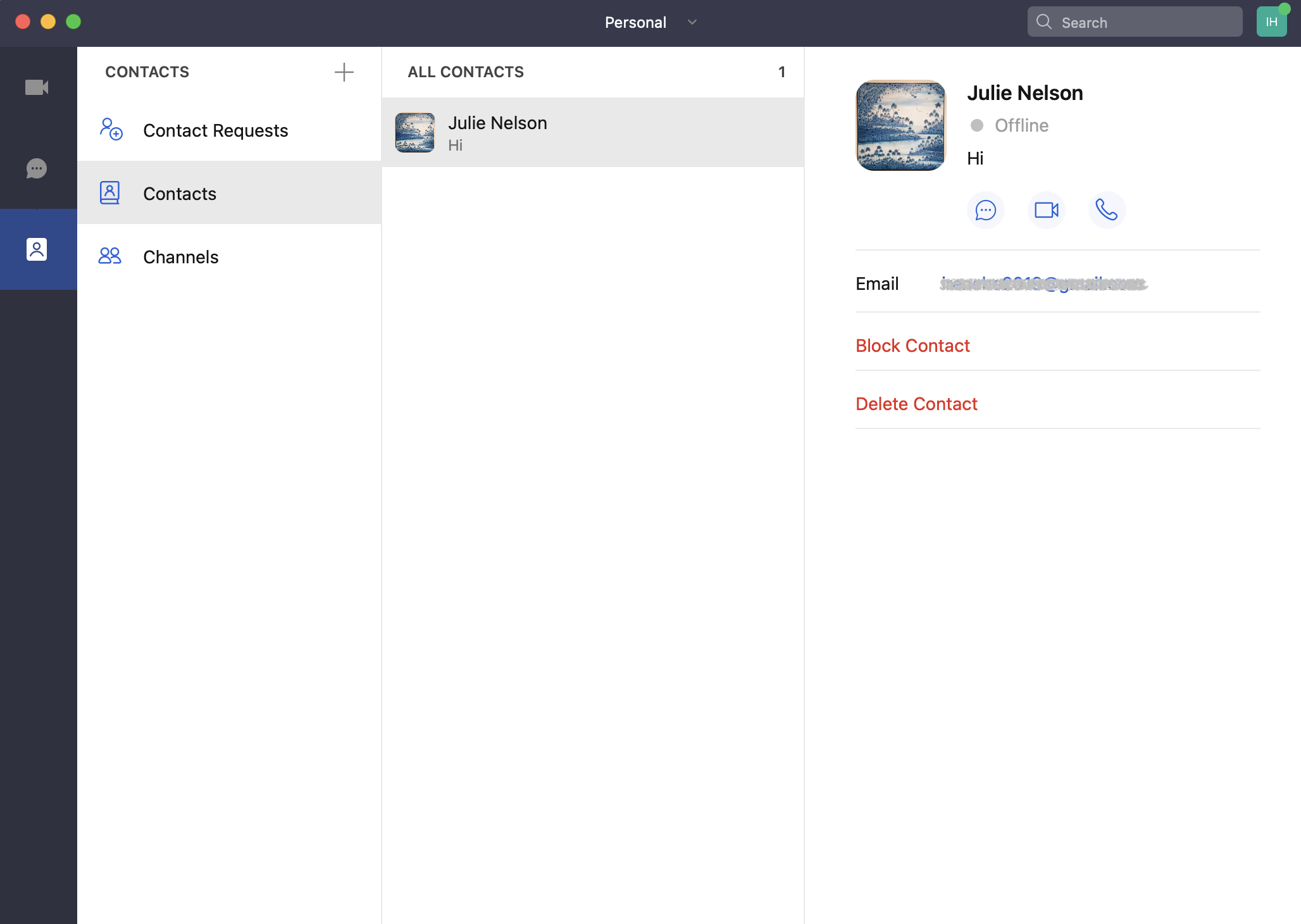
Go to the Contacts tab, click Contacts, click the contact that you want to delete, and then click the Delete Contact button on the profile page.
Android and iOS
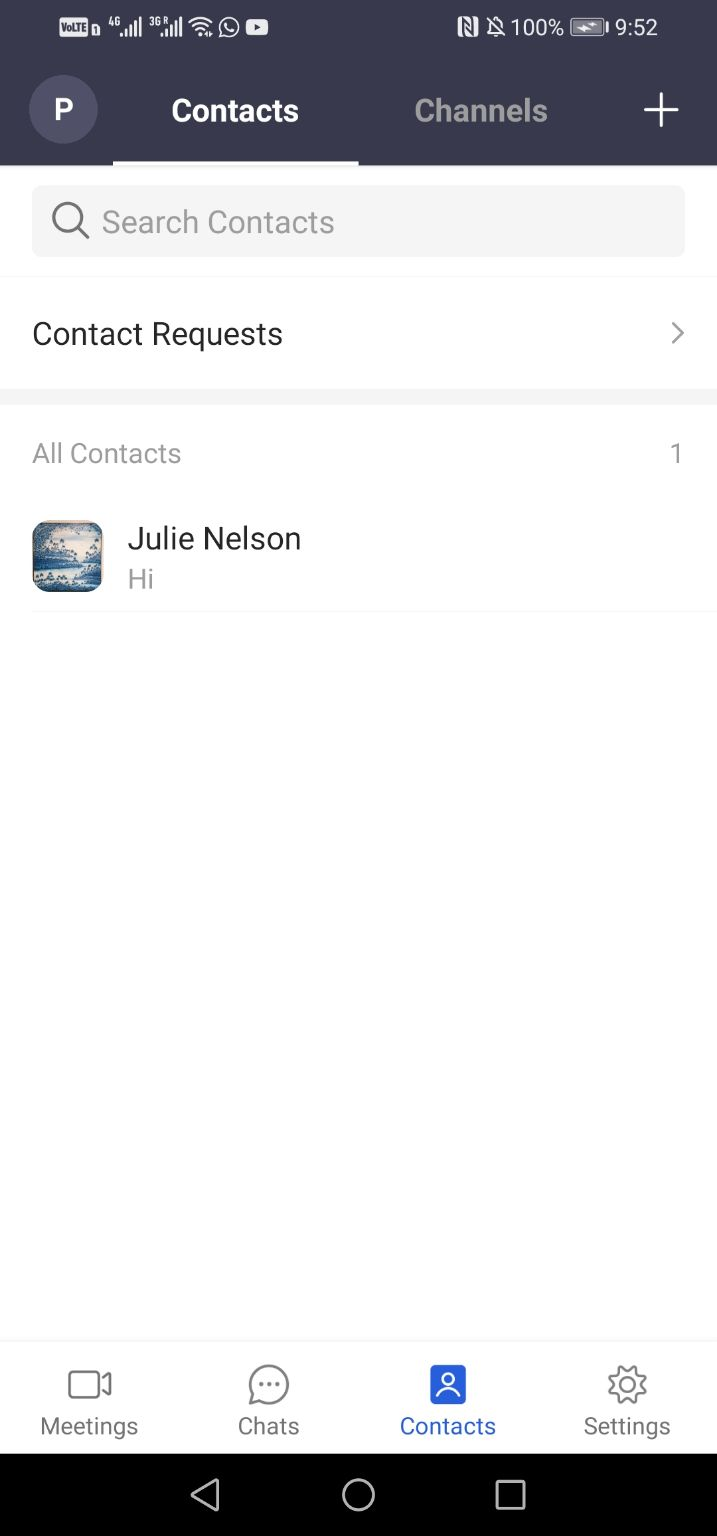
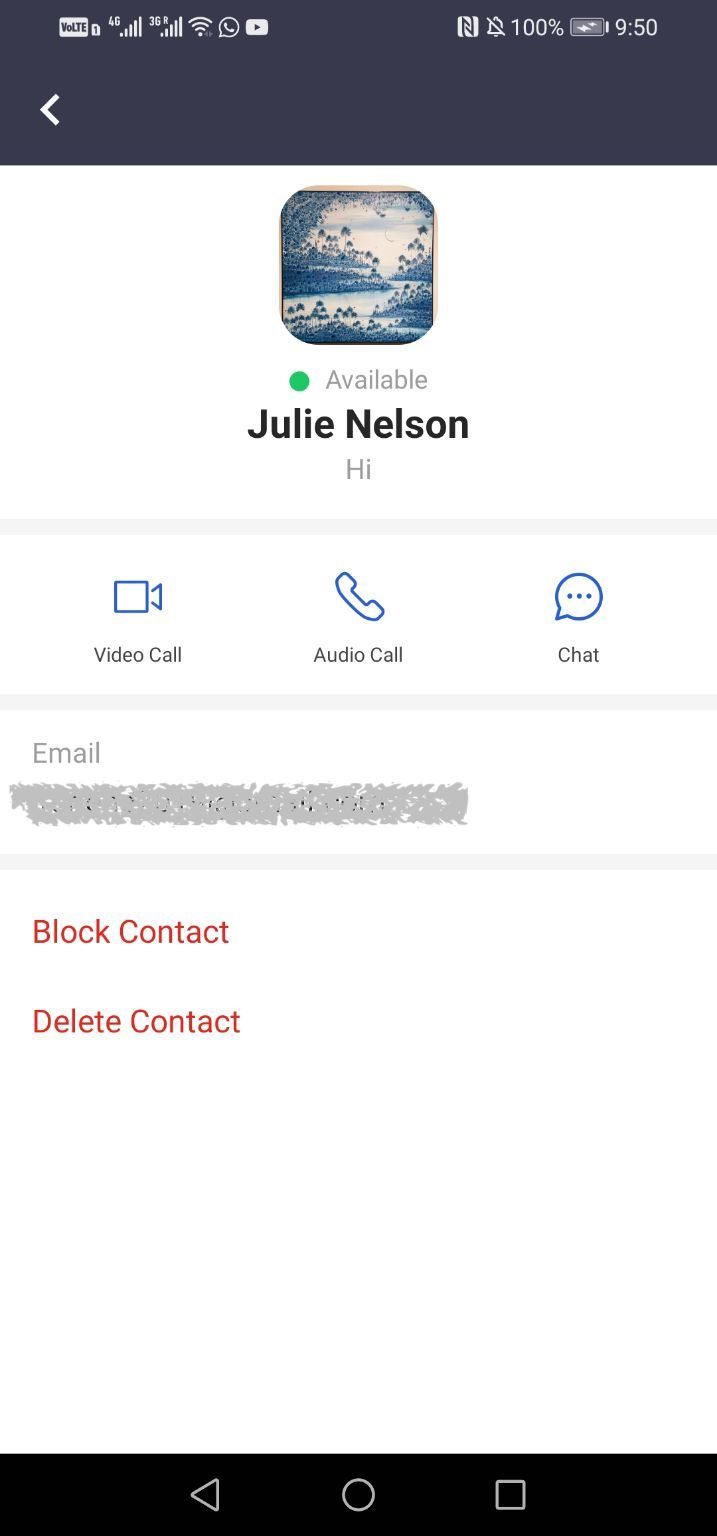
Go to the Contacts tab, tap Contacts, tap the contact that you want to delete, and then click the Delete Contact button on the profile page.